Natural Order
Posted on April 14, 2019
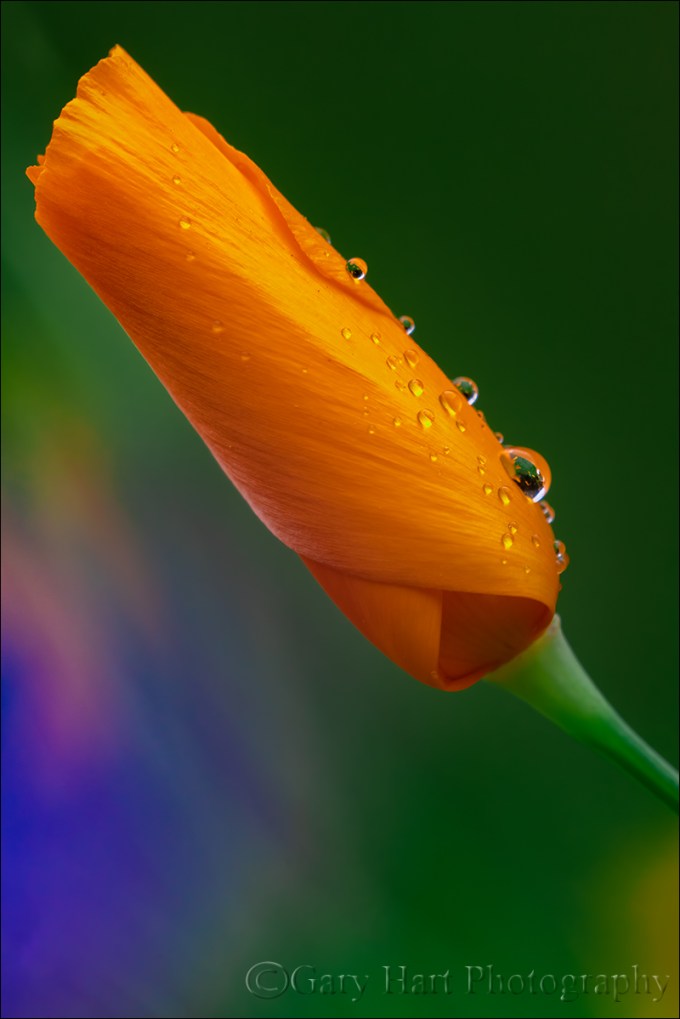
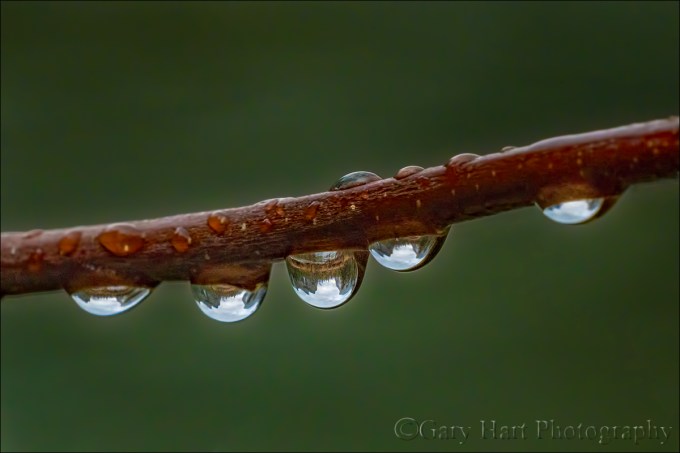
Raindrops on Poppy, Sierra Foothills, California
I’m often asked if I placed a leaf, moved a rock, or “Photoshopped” a moon into an image. Usually the tone is friendly curiosity, but sometimes it’s tinged with hints of suspicion that can border on accusation. While these questions are an inevitable part of being a photographer today, I suspect that I get more than my share because I aggressively seek out naturally occurring subjects to isolate and emphasize in my frame. But regardless of the questioner’s tone, my answer is always a cheerful and unapologetic, “No.”
We all know photographers who have no qualms about staging their scenes to suit their personal aesthetics. The rights and wrongs of that are an ongoing debate I won’t get into, other than to say that I have no problem when photographers arrange their scenes openly, with no intent to deceive. But photography must be a source of pleasure, and my own photographic pleasure derives from discovering and revealing nature, not manufacturing it. I don’t like arranging scenes because I have no illusions that I can improve nature’s order, and am confident that there’s enough naturally occurring beauty to keep me occupied for the rest of my life.
Order vs. chaos
As far as I’m concerned, nature is inherently ordered. In fact, in the grand scheme, “nature” and “order” are synonyms. But humans go to such lengths to control, contain, and manage the natural world that we’ve created a label for our failure to control nature: Chaos. Despite its negative connotation, what humans perceive as “chaos” is actually just a manifestation of the universe’s inexorable push toward natural order.
Let’s take a trip
Imagine all humans leave Earth for a scenic tour of the Milky Way. While we’re gone, no lawns are mowed, no buildings maintained, no fires extinguished, no floods controlled, no Starbucks built. Let’s say we return in 100 Earth years*. While the state of things would no doubt be perceived as chaotic, the reality is that our planet would in fact be closer to its natural state. And the longer we’re away, the more human-imposed “order” would be replaced by natural order.
* Since this is my fantasy, I’ve chartered a spaceship that accommodates all of humankind and travels at 90 percent of the speed of light. While Earth has indeed aged 100 years during our holiday, we travelers return only a year older. (Dubious? Don’t take my word for it, ask Albert Einstein.)
What does all this have to do with raindrops on a poppy?
Read the story of this saturated shoot in my All Wet blog post
Venturing outdoors with a camera and the mindset that nature is inherently ordered makes me feel like a treasure hunter—I know the treasure is there, I just have to find it. Patterns and relationships hidden by human interference and the din of 360 degree multi-sensory input, further obscured by human bias, snap into coherence when I find the right perspective.
Finding water droplets to photograph can be as simple as picking a subject and squirting it with a spray bottle of water or (better still) glycerin. But what fun is that? If I’d have been staging this, I probably would have insisted on an open poppy, maybe with more and bigger drops. But that’s not what Nature gave me this soggy afternoon. So I photographed this raindrop festooned poppy (and many others) the old fashioned way—within minutes I was as wet as the poppy, and (to quote the immortal Cosmo Kramer) lovin’ every minute of it.
Finding Natural Order
Click an image for a closer look and to view slide show.


The Shocking Truth About Lightning
Posted on April 7, 2019
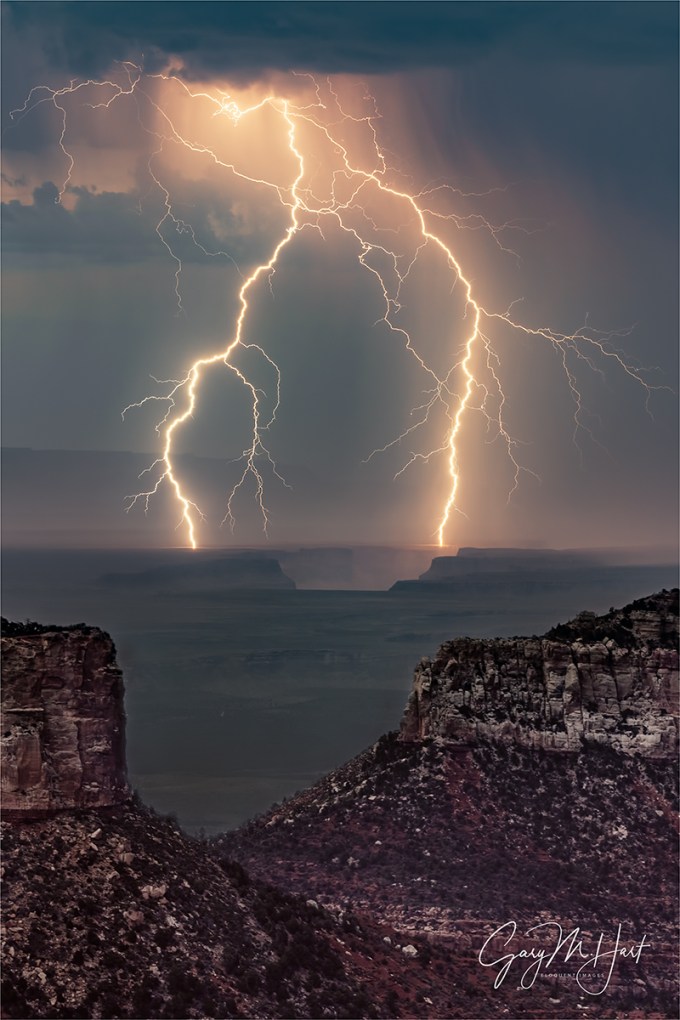
Forked Lightning, Point Imperial, Grand Canyon
Sony a7RIII
Sony 100-400 GM
Lightning Trigger LT-IV
ISO 400
f/7.1
.4 seconds
Every year for the last 10 (or so) years I’ve traveled to the Grand Canyon during the Southwest summer monsoon to photograph lightning. Not only have I captured hundreds of lightning strikes and lived to tell about it (yay), I’ve learned a lot. A couple of years ago I added an article sharing my insights on photographing lightning to my photo tips section. With lightning season upon (or almost upon) us here in the United States, I’ve updated my article with new images and additional info. You can still find the article (with updates) in my Photo Tips section, but I’m re-posting it here in my regular blog feed as well.
Read the story of this image at the bottom of this post, just above the gallery of lightning images.
How to Photograph Daylight Lightning Without Getting Killed (Probably)
Let’s start with the given that lightning is dangerous, and if “safety first” is a criterion for intelligence, photographers are stupid. So combining photographers and lightning is a recipe for disaster.
Okay, seriously, because lightning is both dangerous and unpredictable, before attempting anything that requires you to be outside during an electrical storm, it behooves you to do your homework. And the more you understand lightning, how to avoid it and stay safe in its presence, the greater your odds of living to take more pictures. Not only will understanding lightning improve your safety, a healthy respect for lightning’s fickle power will also help you anticipate and photograph lightning.
Lightning enlightenment
Lightning is an electrostatic discharge that equalizes the negative/positive polarization between two objects. In fact, when you get shocked touching a doorknob, you’ve been struck by lightning. The cause of polarization during electrical storms isn’t completely understood, but it’s generally accepted that the extreme vertical convective air motion (convection is up/down circular flow caused when less-dense warm air rises, becomes more dense as it cools with elevation, and ultimately becomes cool/dense enough to fall. Convection is also what causes bubbling in boiling water. Convection in a thunderstorm carries positively charged molecules upward and negatively charged molecules downward. Because opposite charges attract each other, the extreme polarization (positive charge at the top of the cloud, negative charge near the ground) is quickly (and violently) equalized: lightning.
With lightning comes thunder, the sound of air expanding explosively when heated by a 50,000 degree jolt of electricy. The visual component of the lightning bolt that caused the thunder travels to you at the speed of light, over 186,000 miles per second (virtually instantaneous regardless of your distance on Earth). But lightning’s aural component, thunder, only travels at the speed of sound, a little more than 750 miles per hour—a million times slower than light. Knowing that the thunder occurred at the same time as the lightning flash, and how fast both travel, we can compute the approximate distance of the lightning strike. At 750 miles per hour, thunder will travel about a mile in about five seconds: Dividing the time between the lightning’s flash and the thunder’s crash by five gives you the lightning’s distance in miles; divide the interval by three for the distance in kilometers. If five seconds pass between the lightning and the thunder, the lightning struck about one mile away; fifteen seconds elapsed means it’s about three miles away.
Lightning safety
The 30 (or so) people killed by lightning in the United States each year had one thing in common with the rest of us: they didn’t believe they’d be struck by lightning when they started whatever it was they were doing when they were struck. The only sure way to be safe in an electrical storm is to be in a fully enclosed structure or metal-framed vehicle, away from open windows, plumbing, wiring, and electronics.
While there’s no completely safe way to photograph lightning, it doesn’t hurt to improve your odds of surviving to enjoy the fruits of your labor. (Unfortunately, photographing lightning usually requires being outside.) Most lightning strikes within a six mile radius of the previous strike. So, if less than thirty seconds elapses between the flash and bang, you’re too close. And since “most” doesn’t mean “all,” it’s even better to allow a little margin for error. Thunder isn’t usually audible beyond ten miles—if you can hear the thunder, it’s safe to assume that you’re in lightning range.
But if you absolutely, positively must be outside with the lightning crashing about you, or you simply find yourself caught outside with no available shelter, there are few things you can do to reduce the chance you’ll be struck:
- Avoid water
- Avoid high ground
- Avoid exposed areas
- Avoid metal or electronic objects
- Avoid tall objects such as trees and open structures (and tripods)
- Stay at least fifteen feet from other people
- Do not lie down
- If you’re surrounded by trees, position yourself near shorter trees, as far from trunks as possible
- Crouch with your feet together and your hands covering your ears
- A lightning strike is often preceded by static electricity that makes your hair stand on end and an ozone smell (best described as the smell of electricity—I think of bumper cars at the amusement park, or the smell of my electric slot cars when I was a kid)—if your hair starts to stand up and/or you notice a distinct odor that could be ozone, follow as many of the above steps as you can, as quickly as possible (often you’ll only have time to crouch)
 Three Strikes, Bright Angel Point, North Rim, Grand Canyon
Lightning How-to
Photographing lightning at night is mostly a matter of pointing your camera in the right direction with a multi-second shutter speed and hoping the lightning fires while your shutter’s open—pretty straightforward. Photographing daylight lightning is a little more problematic. It’s usually over before you can react, so without a lightning sensor to recognize lightning and click your shutter, success is largely dumb luck (few people are quick enough see it and click). And using a neutral density filter to stretch the exposure time out to 20 or 30 seconds sounds great in theory, but a lightning bolt with a life measured in milliseconds, captured in an exposure measured in multiple seconds, will almost certainly lack the contrast necessary to be be even slightly visible.
Lightning Trigger: The best tool for the job
Most lightning sensors (all?) attach to your camera’s hot shoe and connect via a special cable to the camera’s remote-release port. When engaged, the sensor fires the shutter (virtually) immediately upon detecting lightning, whether or not the lightning is visible to the eye or camera. With many lightning sensors from which to choose, before I bought my first one I did lots of research. I ended up choosing the sensor that was the consensus choice among photographers I know and trust: Lightning Trigger from Stepping Stone Products in Dolores, CO. At around $350 (including the cable), the Lightning Trigger is not the cheapest option, but after many leading lightning-oriented photo workshops, I can say with lots of confidence that lightning sensors are not generic products, and the internal technology matters a lot. Base on my own results and observations, the Lightning Trigger is the only one I’d use and recommend (I get no kickback for this). On the other hand, if you already have a lightning sensor you’re happy with, there’s no reason to switch.
I won’t get into lots of specifics about how to set up the Lightning Trigger because it’s simple and covered fairly well in the included documentation. But you should know that of the things that sets the Lightning Trigger apart from many others is its ability to put your camera in the “shutter half pressed” mode, which greatly reduces shutter lag (see below). But that also means that connecting the Trigger will probably disable your LCD replay, so you won’t be able to review your captures without disconnecting—a simple but sometimes inconvenient task. You also probably won’t be able to adjust your exposure with the Lightning Trigger connected.
The Lightning Trigger documentation promises at least a 20 mile range, and after many years using mine at the Grand Canyon, I’ve seen nothing that causes me to question that. It also says you can expect the sensor to fire at lightning that’s not necessarily in front of you, or lightning you can’t see at all, which I will definitely confirm. For every click with lightning in my camera’s field of view, I get many clicks caused by lightning I didn’t see, or that were outside my camera’s field of view. But when visible lightning does fire somewhere in my composition, I estimate that the Lightning Trigger clicked the shutter at least 95 percent of the time (that is, even though I got lots of false positives, the Lightning Trigger missed very few bolts it should have detected). Of these successful clicks, I actually captured lightning in at least 2/3 of the frames.
The misses are a function of the timing between lightning and camera—sometimes the lightning is just too fast for the camera’s shutter lag. In general, the more violent the storm, the greater the likelihood of bolts of longer duration, and multiple strokes that are easier to capture. And my success rate has increased significantly beyond 2/3 since switching from a Canon 5DIII to Sony mirrorless (more on this in the Shutter Lag section).
The Lightning Trigger documentation recommends shutter speeds between 1/4 and 1/20 second—shutter speeds faster than 1/20 second risk completing the exposure before all of the secondary strokes fire; slower shutter speeds tend to wash out the lightning. To achieve daylight shutter speeds between 1/4 and 1/20 second, I use a polarizer, with my camera at ISO 50 and aperture at f/16 (and sometimes smaller). Of course exposure values will vary with the amount of light available, and you may not need such extreme settings when shooting into an extremely dark sky. The two stops of light lost to a polarizer helps a lot, and 4- or 6-stop neutral density filter is even better with fairly bright skies (but if you’re using a neutral density filter, try to avoid shutter speeds longer than 1/4 second).
Shutter lag
Lightning is fast, really, really fast, so the faster your camera’s shutter responds after getting the command from the trigger device, the more success you’ll have. The delay between the click instruction (whether from your finger pressing the shutter button, a remote release, or a lightning sensor) and the shutter firing is called “shutter lag.”
The less shutter lag you have, the better your results will be. The two most important shutter lag factors are:
- Camera model: It’s surprising how much shutter lag can vary from manufacturer to manufacturer and model to model. In a perfect world, for lightning photography your camera’s shutter lag will be 60 milliseconds (.006 seconds) or faster (the lower the number the better), but 120 milliseconds (.012 seconds) or faster can give you some success. The top cameras from Sony, Nikon, and Canon are all fast enough, but the latest Sonys are the definite shutter lag winner (fastest), with Nikon a not too distant second, and Canon third. And shutter lag can vary with the manufacturer’s model: While my Sony a7RII is one of the fastest cameras out there, my a7R was unusably slow, so you need to check your model. Since I don’t check every camera released, it’s possible this ranking will change well before I update this article, so I recommend that you research shutter lag for your camera model. Unfortunately, shutter lag isn’t usually in the manufacturers specifications, so it’s hard to find. The best source I’ve found is the “Pre-focused” time in the Performance tab of the camera reviews at Imaging Resource.
- Camera settings: Basically, to minimize the “thinking” the camera needs to before firing, you want to be in manual everything mode—metering and focus. If your camera offers an electronic front curtain option (as my Sonys do), use it. If you must autofocus, go ahead and do it each time you recompose, then turn autofocus off as soon as you’re focused. Though the Lightning Trigger documentation suggests Aperture Priority metering, I use and recommend Manual metering mode to eliminate any camera-slowing metering (but Aperture Priority is fine if you have a strong preference). And, also despite what the Lightning Trigger documentation suggests, noise reduction is a post-capture function that might slightly delay continuous frames, but it won’t increase shutter lag.
Other equipment
In addition to a lightning sensor and fast camera, you’ll need:
- A solid tripod and head: Don’t even think about trying to photograph lightning hand-held
- Rain gear that keeps you dry from head-to-toe
- Umbrella (a.k.a., Wile E. Coyote Lightning Rod) to shield your camera and lightning sensor (many sensors, including the Lightning Trigger, aren’t waterproof) while you compose and wait in the rain. The umbrella is for when you’re photographing storm cells at a great distance, such as on the rim of the Grand Canyon and the lighting is across the canyon. Obviously, when the lightning gets within 10 miles, put the umbrella down and run for cover.)
- Lens hood to shield some of the raindrops that could mar the front element of your lenses
- Neutral density filter and/or polarizer to slow shutter speed into the ideal range (1/4 – 1/20 second)
- A garbage bag (my choice) or rainproof camera jacket (haven’t found one) to keep your camera and sensor dry during a downpour
- Extra lightning sensor batteries (better safe than sorry)
- Extra memory cards: When a storm is very close or active, your lightning sensor could detect 20 or 30 strikes per minute (even when little or no lightning is visible to the eye)
- Infrared remote to test your Lightning Trigger; I sometimes borrow the remote from my hotel room, but the Apple TV remote works great and is extremely compact (fits nicely into the Lightning Trigger pouch)
- A towel
Getting the shot
Lightning is most likely to strike in or near the gray curtains (clearly recognizable as distant rain) that hang beneath dark clouds. In addition to visible rain curtains, the darkest and tallest clouds are usually the most likely to fire lightning. Here are a few more points to consider:
- The wider your composition, the greater your odds of capturing lightning, but the smaller the lightning will appear in your image.
- Identify the most likely lightning cell and find the best composition that includes it. I tend to start with wider compositions to ensure success, then tighten my composition once I’m fairly confident I captured something.
- Note the height from which the lightning originates and be sure to include enough cloud to get all of the stroke. On the other hand, don’t include too much room above the lightning—the most frequent rookie mistake I see is too much sky/clouds in the frame. The second most frequent is lightning cut off at the top. Unless the storm is too close for safety, for any given cell, most lightning will originate from about the same height above the ground.
- The best lens is usually a midrange zoom such as a 24-70 or 24-105—if you find yourself reaching for the 16-35 (or wider), you’re too close.
- On the other hand, once you’re sure you’ve captured some good strikes, try putting on a 70-200. The narrow field of view can significantly reduce the number of frames with lightning, but the ones you get will be much larger in the frame and therefore more spectacular.
- Don’t forget to try some vertical compositions. I usually wait until after I know I’ve captured some in a horizontal frame because vertical narrows the horizontal field of view and lowers the odds of success a little.
- Lightning stands out better in a slightly underexposed image. My target shutter speed is usually 1/8 second (slow enough to include multiple pulses, but not so slow that I risk washing out the lightning). When the sky is relatively bright, dropping to 1/15 or even 1/20 second can make the lightning stand out better than 1/8 (but risks losing secondary strikes). Conversely, when the sky is extremely dark and the lightning is firing like crazy, extending to 1/4 second might increase your chances for multiple pulses.
- Just because you’re standing around waiting for things to happen, doesn’t mean there’s nothing to do. Keep your eyes glued to the sky and adjust your composition as the lightning shifts, or as new activity starts elsewhere. If you wait until you hear your shutter click or someone else exclaim before looking up, you won’t see the lightning. And monitor the light—your exposure can change by several stops as the storm moves, intensifies, or winds down.
- Try not to check your captures on your LCD until you’re done (or better yet, until you upload your images to your computer). With the Lightning Trigger (and some other sensors), viewing the LCD requires turning off the sensor, which risks missing a shot (I’m pretty sure lightning waits for me to turn off my sensor), and you’ll also find that many successful captures, especially wide compositions with a relatively bright sky, just aren’t that visible on an LCD viewed in daylight anyway.
Do as I say (not as I do)
Be aware that electrical storms can move quite quickly, so you need to monitor them closely. Sometimes this simply means adjusting your composition to account for shifting lightning; other times it means retreating to the car if the cell threatens your location. No shot is worth your life.
About this image
Forked Lightning, Point Imperial, Grand Canyon
On the first evening of last year’s second Grand Canyon Monsoon photo workshop, Don Smith and I took the group to Point Imperial for a sunset shoot. Based on the forecast we had little hope for lightning, but one thing I’ve learned over the many years of photographing the monsoon here is that the forecast isn’t the final word. We got another reminder of this that evening.
The view from Point Imperial is both expansive and different from other Grand Canyon vistas, stretching east across the Painted Desert and north to the Vermillion Cliffs. As the group made their way down to the vista platform, in the corner of my I thought I a lighting strike far to the north. A second bolt confirmed my discovery and soon we had the entire group lined up with cameras pointed and triggers ready.
With everyone in business, I set up my tripod and attached my Lightning Trigger to my Sony a7RIII. Since this lightning was close to 30 miles away, maybe farther than any lightning I’ve tried to photograph, so I hauled out my Sony 100-400 GM lens and zoomed in as tight as I could. I didn’t have to wait long to confirm that my Lightning Trigger would catch strikes this distant—it didn’t hurt that these were massive bolts, many with multiple pulses and forks.
Everyone was thrilled, so thrilled that it didn’t immediately register that the storm was moving our direction. I started at 400mm, but by the time I captured this frame I was just a little more than 100mm. That’s still a pretty safe distance, but with night almost on us and another cell moving in from the east, we decided to take our winnings and go home.
One final note: If you check my exposure settings, you’ll see that my shutter speed here was .4 seconds, well outside the 1/20-1/4 second range I suggest. But if you look at the other settings, you’ll see that I’d opened up to f/7.1, and had cranked my ISO to 400, an indication that twilight was settling in. Successful lightning photograph is all about contrast, and the darker the sky, the better the bolt stands out, even in a longer exposure. Had we stayed past dark (and lived), we could have jettisoned the Lighting Triggers and used multi-second exposures.
Join Don Smith and me in our next Grand Canyon Monsoon Photo Workshop
Read my article in Outdoor Photographer magazine, Shooting the Monsoon
Workshop Schedule || Purchase Prints
A Lightning Gallery
Click an image for a closer look and slide show. Refresh the window to reorder the display.


All Wet
Posted on April 5, 2019
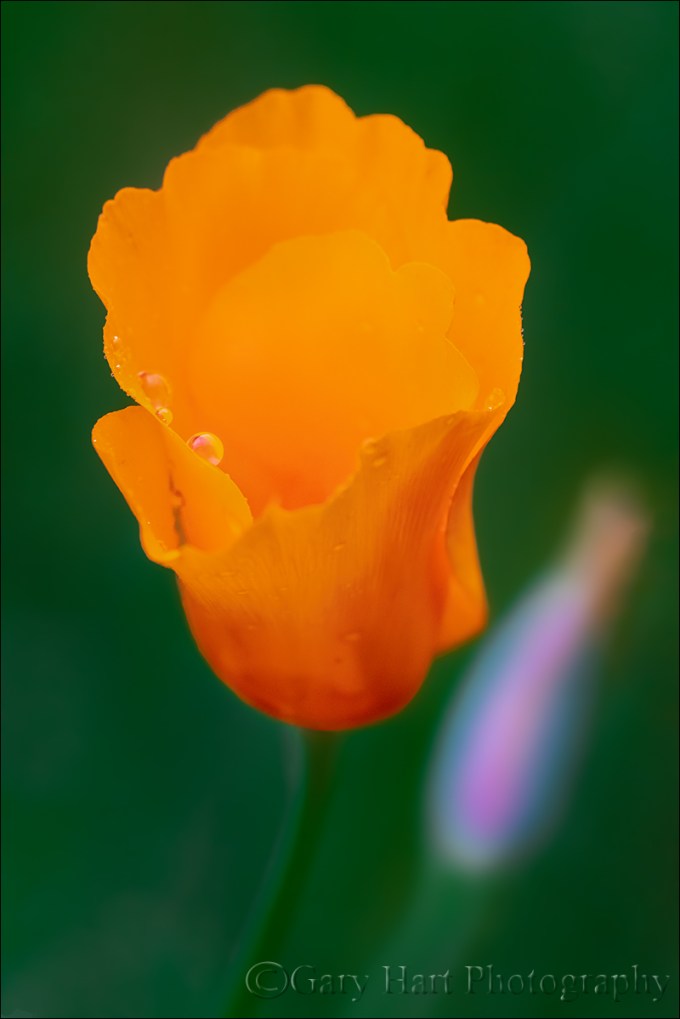
Raindrops on Poppy, Sierra Foothills
Last Monday seemed like the perfect day for a poppy shoot in the foothills. I had the afternoon wide open—with the California media buzzing about this year’s “superbloom,” plus a forecast promising ideal conditions (calm wind and thin clouds), I couldn’t help dreaming about my own images of poppy-saturated fields. What could possibly go wrong?
Getting on the road proved a little more problematic than anticipated, but by 2 p.m. I was on my way, encouraged forward by an occasional poppy beside the freeway. Adding to my optimism, the aforementioned clouds were just right: thick enough to diffuse the sunlight, but not so dark that they’d close the sun-loving poppies. I exited the freeway as soon as possible, opting to drive the 2-lane roads that follow the hills’ natural contours. While my preferred my route isn’t the most direct, it is the most scenic, winding me through oak-studded hills deeply greened by this year’s copious winter rain. Though this drive takes a little more than an hour, the time passes quickly with so much pastoral beauty filling my windshield.
I knew the poppies in Northern California were starting late due to our relatively late winter, but was fairly confident I’d allowed enough time for the golden hillsides to kick in. In a good spring, poppies dot the entire route, but by the time I was southbound on scenic Highway 49, I started realizing I hadn’t seen any poppies since leaving Sacramento. Soon I was pretty resigned to the fact that this year’s superbloom was limited Southern California, and wondered if I’d find any poppies at all. Then it started to rain.
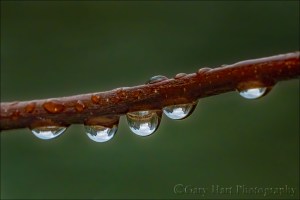
Yosemite in a Raindrop, Valley View, Yosemite
As easy as it would have been easy to cut my losses and turn around, I simply changed my expectations. With fresh memories of a brief but rewarding raindrop experience in Yosemite, I realized I didn’t need to find entire hillsides covered with poppies, that even a single poppy could be nice. So, rather than zipping along Highway 49 at 50 MPH (-ish) looking for golden slopes, I started exploring some of the quieter tributary roads and quickly realized that there were a sprinkling of poppies out.
I ended up spending two hours photographing a small patch of poppies I found on a dead-end road near Jackson. It rained the entire time, but with rain gear in my car for just these situations, I stayed warm and dry. My camera? Not so much. I tried working with an umbrella, but after a few minutes realized I was one arm short and just decided to test the water resistance of my Sony a7RIII. I’m happy to say that it passed with flying colors, as did the Sony 100-400 GM.
In the two weeks since I shot those raindrops in Yosemite, I’ve been plotting how to get even closer. On the Yosemite shoot I added extension tubes to my 100-400; this afternoon I returned to the extension tubes, but added my 2X teleconverter (which, I might add, handled the rain perfectly as well). I thought I’d try a few lens/extension-tube/teleconverter configurations, but I was having so much fun that I ended up shooting this way the entire time.
On a rainy day, light is already limited. But adding a teleconverter and extension tubes compounds the light problem. Because f/stop is a ratio with focal length as the numerator and lens opening as the denominator, adding a teleconverter and extension increases the focal length, resulting in less light reaching the sensor. A 2x teleconverter cuts two stops of light, which means my 100-400 that’s normally wide upon f/5.6 at 400mm becomes f/11 at (the teleconverted) 800mm (400mm x 2). And adding extension tubes also extends the lens’s effective focal length, further reducing the light reaching the sensor. To compensate for all this missing light, I shot everything this afternoon at either ISO 1600 or ISO 3200.
One of the cool things about this kind of photography is how different the world looks through the viewfinder. I love putting my eye to the viewfinder, moving the lens around, and changing focus slowly to see what snaps into view. In this case I was looking for a poppy to isolate from its nearby surroundings, but that also has something nearby (usually another flower) that I could soften enough to complement without competing. Sometimes I had a general idea of a subject before looking through my camera, other times I’d just explore with my lens until something stopped me.
Because depth of field shrinks not only with focal length, but also with focus distance, every frame I clicked this afternoon had a paper-thin range of sharpness. With such a shallow depth of field, none of these images would have been possible without a tripod. With my composition set, I’d pick a focus point (usually, but not always, a prominent raindrop), focus in my viewfinder until I was “certain” it was sharp, then instantly debunk my that “certainty” by magnifying the image in my viewfinder. This little exercise quickly taught me that with such a small margin for error, the best I could reliably achieve without magnifying the view was almost sharp enough, making pre-click magnification an essential part of my focus workflow (instead of just a cursory focus-check).
Each time I do this kind of photography I learn something. In this case it was how far away I could be and still fill my frame with a poppy. All of the images I captured this afternoon were from four to six feet away.
I wrapped up when the sky darkened further and the rain started coming down pretty hard. I couldn’t believe I’d been out there two hours, and spent most of the drive strategizing new ideas for the next time.
Getting the Drop on Nature
Click an image for a closer look and to view slide show.


Macro in Spirit
Posted on March 31, 2019
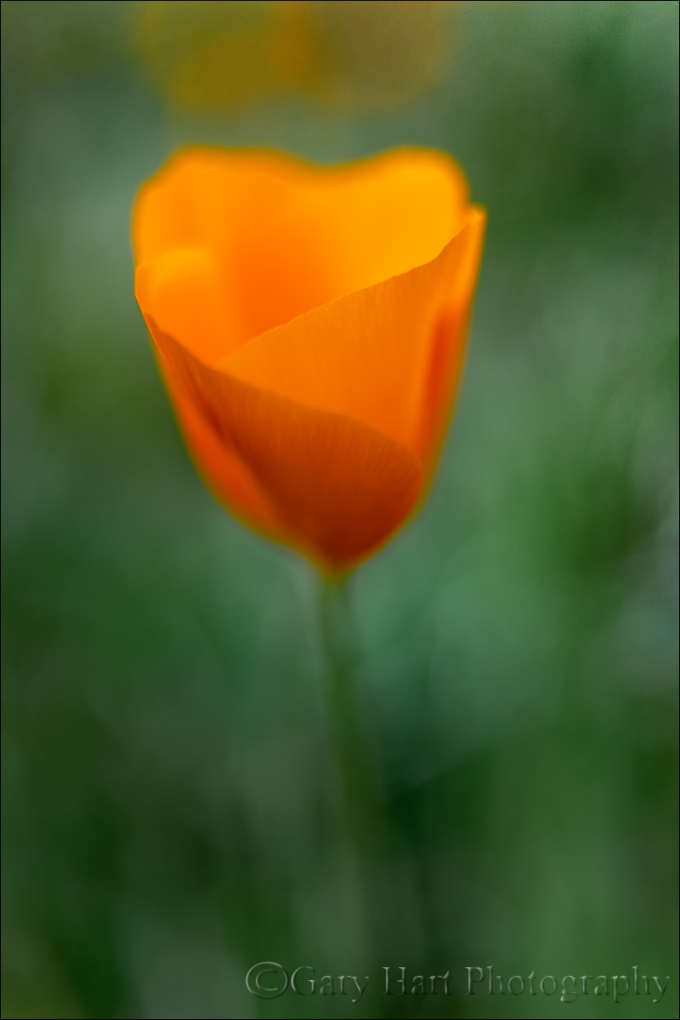
New Poppy, Merced River Canyon, California
It’s poppy season in California, and this is turning out to be a banner year. I’ve already enjoyed one nice poppy shoot, but things are just getting started in Northern California so I hope there are more to come.
When I photograph poppies, I don’t always use my macro lens. Even though my objective is similar to what I’d accomplish with a macro lens—a close view that excludes or blurs surrounding distractions—I often like to experiment with the creative flexibility other lenses provide. This also means that many of my so-called macro images technically aren’t macro at all.
What is macro photography?
The generally accepted definition of a macro image is an image in which the subject is at least as large on the sensor as it is in reality. When we photograph an expansive landscape with a full frame camera, we’re cramming the entire scene onto a 24mm x 36mm (864 mm2) rectangle (“cropped” sensors have even less real estate to work with, while medium format sensors have more). But imagine your landscape includes a single flower, and you want to get a closer look. As you zoom your lens tighter on the flower, or position yourself closer, the amount of the scene you capture shrinks, while everything remaining in the frame expands. Pretty soon the flower occupies most of the frame. Your image doesn’t achieve macro status until the still visible area of the flower spans 864 mm2 or larger.
It’s important to note that many camera manufactures will label a lens’s (or a point-and-shoot camera’s) closest focus point “macro” when all they really mean is just plain “close focus.” Getting closer will make the flower bigger, but unless you can focus close enough to reach that 1:1 threshold, it’s not a true macro.
So, by the generally accepted definition, this close image of a recently sprouted poppy doesn’t qualify as “macro.” But in my mind it’s macro in spirit because I use an intimate perspective with a single point of focus, in this case to emphasize the poppy’s translucent petals and graceful curves. My goal in these pseudo-macro images is make viewers look closer than they normally would, and (I hope) to help viewers see the poppy as more than a pretty gold flower.
To achieve that for this image, I tried something a little different. Shooting this afternoon with my Sony a7RIII, I started with my Sony 100-400 lens to allow a little working distance from the various poppies I targeted, then switched to my Sony 90mm macro to move closer to my subjects. When I wanted to get closer still, I brought out my extension tubes and switched back and forth between these two lenses. But the more time I spent out there, the closer I wanted to get.
Sprawling on the ground to work on this tiny new poppy, for something different I decided to try my 24-105 lens. At 24mm I was able to focus very close, but even wide open I had too much depth of field to properly blur the background, so I did what many say you’re not supposed to do: use extension tubes with a wide angle lens. With this arrangement the focus tolerance was microscopic, but when the poppy finally did snap into focus, my lens was so close they nearly touched.
I’m a tripod evangelist because in my approach to every scene, from macro to landscape, an image is not simply a click, it’s an incremental process: compose, expose, click, evaluate, refine, repeat until satisfied. Refining and repeating a standard landscape without a tripod is difficult enough; with macro and its minuscule tolerances, working without a tripod becomes nearly impossible.
For an image like this one, the tripod provides and another, less heralded advantage. This tiny flower was just a few inches above the ground, forcing me to sprawl in the weeds and awkwardly contort my body to avoid smashing the surrounding poppies. Holding this position as I refined my composition and waited for the breeze to pause was just plain uncomfortable, so every minute or two I had to stand to stretch and rest my cramped and fatigued muscles and joints. But each time I was ready to return to my subject, the composition I’d left was waiting patiently, right there in my viewfinder.
Because of the breeze, I bumped my ISO to 1600, which my a7RIII handles without even breathing hard. Freezing the poppy’s motion at 1/1000 of a second wasn’t hard, but because every time the wind moved the poppy, the focus point changed, I had to wait for the wind to die long enough for the poppy to return to the equilibrium position I’d focused on. The orange blobs you see in the background are more poppies, less than 8 inches away.
Read more about my approach to photographing wildflowers
Workshop Schedule || Purchase Prints
My Favorite Flower


Let There Be Light
Posted on March 27, 2019
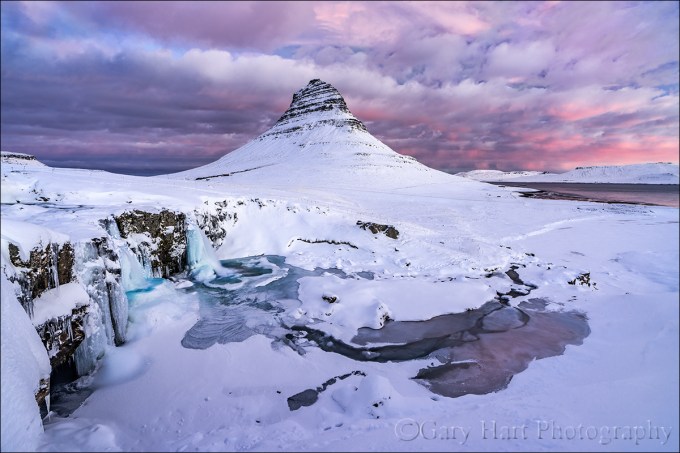
Frozen Sunrise, Kirkjufell, Iceland
Sony a7R III
Sony 16-35 f/2.8 GM
1 second
F/11
ISO 100
In January I made my first visit to Iceland in preparation for the winter workshop I’ll be doing there with Don Smith next January. And after a lifetime spent in the middle latitudes, one thing that was impossible to ignore was the quality of the winter light at 65º (-ish) latitude. Not only do sunrises and sunset last forever, but during our entire visit the sun never rose higher than 8º above the horizon. This got me thinking about light in general, and how we sometimes take it for granted. Or, if we don’t exactly take light for granted, how we often don’t take the time understand this thing that makes or breaks us. So I dusted off an article I wrote several years ago, updated the information there, and added some new images.
You’ll find the story of this Iceland sunrise toward the bottom, just above the gallery.
Photograph: “Photo” comes from phos, the Greek word for light; “graph” is from graphos, the Greek word for write. And that’s pretty much what photographers do: Write with light.
Good light, bad light
Because we have no control over the sun, nature photographers spend a lot of time hoping for “good” light and cursing “bad” light—despite the fact that there is no universal definition of “good” and “bad” light. Before embracing someone else’s good/bad light labels, let me offer that I (and most other serious photographers) could probably show you an image that defies any label you’ve heard. The best definition of good light is light that allows us to do what we want to do; bad light is light that prevents us from doing what we want to do.
Studio photographers’ complete control of the light that illuminates their subjects is a true art that allows them to create their own “good” light. Nature photographers, on the other hand, rely on sunlight and don’t have that control. But knowledge is power: The better we understand light—what it is, what it does, and why/how it does it—the better we can anticipate the light we seek, and deal with the light we encounter.
The qualities of light
Energy generated by the sun bathes Earth in continuous electromagnetic radiation, its wavelengths ranging from extremely short to extremely long (how’s that for specific?). Among the broad spectrum of electromagnetic solar energy we receive are ultraviolet rays that burn our skin (10-400 nanometers), infrared waves that warm our atmosphere (700 nanometers to 1 millimeter), and the visible spectrum—the very narrow range of wavelengths between ultraviolet and infrared that the human eye sees, in the wavelength range between 400 and 700 nanometers.
When all visible wavelengths are present, we perceive the light as white (colorless). But when light interacts with an object, the object absorbs or scatters the light’s wavelengths. The amount and wavelengths of light that’s scattered or absorbed is determined by properties of the object. For example, when light strikes a tree, characteristics of the tree determine which of its wavelengths are absorbed, and the wavelengths not absorbed are scattered. Our eyes capture these scattered wavelengths and send that information to our brains, which translates it into a color.
When light strikes a mountain lake, some is absorbed by the water, allowing us to see the water. Some light bounces back to the atmosphere to create a reflection. The light that isn’t absorbed or reflected by the water light passes through to the lakebed and we see whatever is on the lake’s bottom.
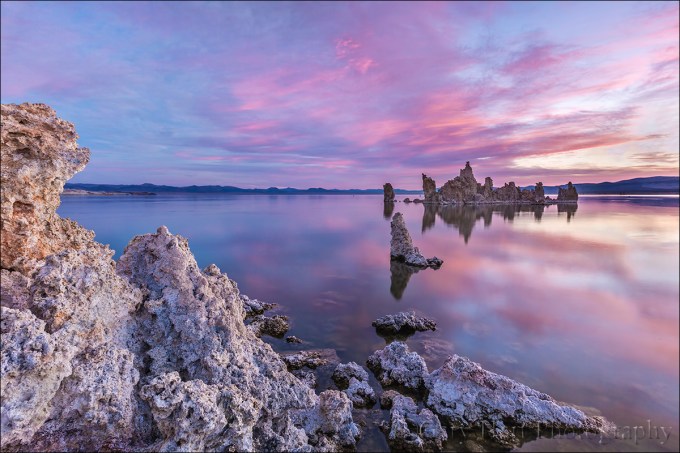
This vivid sunrise was reflected by the glassy surface of Mono Lake, but just enough light made it through to reveal the outline of submerged tufa fragments on the lake bed.
Let’s get specific
Rainbows
For evidence of light’s colors, look no farther than the rainbow. Because light slows when it passes through water, but shorter wavelengths slow more than longer wavelengths, water refracts (bends) light. A single beam of white light (light with an evenly distributed array of the entire visible spectrum) entering a raindrop separates and spreads into its component colors. When this separated light strikes the back of the raindrop, some of it reflects: A rainbow!

Under the Rainbow, Colorado River, Grand Canyon
Blue sky
When sunlight reaches Earth, the relatively small nitrogen and oxygen molecules that are most prevalent in our atmosphere scatter its shorter wavelengths (violet and blue) first, turning the sky overhead (the most direct path to our eyes) blue. The longer wavelengths (orange and red) don’t scatter as easily and travel through more atmosphere—while our midday sky is blue, these long wavelengths are coloring the sunset sky of someone to the east.
In the mountains sunlight has passed through even less atmosphere and the sky appears even more blue than it does at sea level. On the other hand, when relatively large pollution and dust molecules are present, all the wavelengths (colors) scatter, resulting in a murky, less colorful sky (picture what happens when your toddler mixes all the paints in her watercolor set).
Most photographers (myself included) find homogeneous blue sky boring. Additionally, when the sun is overhead, bright highlights and deep shadows create contrast that cameras struggle to handle.
Sunrise, sunset
Remember the blue light that scattered to color our midday sky? The longer orange and red wavelengths that didn’t scatter overhead, continued on. As the Earth rotates, eventually our location reaches the point where the sun is low and the sunlight that reaches us has had to fight its way through so much atmosphere that it’s been stripped of all blueness, leaving only its longest wavelengths to paint our sunrise/sunset sky shades of orange and red.
When I evaluate a scene for sunrise/sunset color potential, I look for an opening on the horizon for the sunlight to pass through, pristine air (such as the clean air immediately after a rain) that won’t muddy the color, and clouds overhead and opposite the sun, to catch the color.
Overcast and shade
Sunny days are generally no fun for nature photographers. In full sunlight, direct light mixed with dark shadows often forces nature photographers to choose between exposing for the highlights or the shadows (or to resort to multi-image blending). So when the sun is high, I generally hope for clouds or look for shade.
Clouds diffuse the omni-directional sunlight—instead of originating from a single point, overcast light is spread evenly across the sky, filling shadows and painting the entire landscape in diffuse light. Similarly, whether caused by a single tree or a towering mountain, all shadow light is indirect. While the entire scene may be darker, the contrast range in shade is easily handled by a camera.
Flat gray sky or deep shade may appear dull and boring, but it’s usually the best light for midday photography. When skies are overcast, I can photograph all day—rather than seeking sweeping landscapes, in this light I tend to look for more intimate scenes that don’t include the sky. And when the midday sun shines bright, I try to find subjects in full shade. Overcast and shade is also the best light for blurring water.
Another option for midday light is high-key photography that uses the overexposed sky as a brilliant background. Putting a backlit subject against the bright sky, I simply meter on my subject and blow out the sky.
Leveraging light
Whether I’m traveling to a photo shoot, or looking for something near home, my decisions are always based on getting myself there when the conditions are best. For example, in Yosemite I generally prefer sunset because that’s when Yosemite Valley’s most photogenic features get late, warm light; Mt. Whitney, on the other side of the Sierra, gets its best light at sunrise; and I’ll only the lush redwood forests along the California coast in rain or fog.
Though I plan obsessively to get myself in the right place at the right time, sometimes Nature throws a curve, just to remind me (it seems) not to get so locked in on my subject and the general tendencies of its light that I fail to recognize the best light at that moment. If I drive to Yosemite for sunset light on Half Dome and am met with thick overcast, I don’t insist on photographing Half Dome. Instead, I detour some of my favorite deep forest spots, like Fern Spring or Bridalveil Creek.
Other times finding the best light is simply a matter of turning around and looking the other direction. Mono Lake is one of those places that reminds me to keep my head on a constant swivel, or risk getting so caught up on the sunrise in front of me that I miss the rainbow behind me.
About this image

Frozen Sunrise, Kirkjufell, Iceland
This view of Kirkjufell and Kirkjufellsfoss on Snæfellsnes Peninsula is the Tunnel View of Iceland—even though you’ve already seen a million pictures from this very location, every photographer who visits Iceland wants their own version. (Not that there’s anything wrong with that.)
Don Smith and I were here in January, scouting for our 2020 Iceland Winter Sights and Northern Lights photo workshop. Hiring a local guide to show us around, we gave him complete autonomy over our schedule (and even if we did know enough about Iceland to tell him what we wanted to see, we couldn’t have pronounced it anyway). We’d spent the prior day driving to the peninsula, dodging snowflakes, and helping dig stranded Canadians (who should know better!) out of roadside ditches. But the weather gods smiled on us this morning, and I would say that our first sunrise was a harbinger of good fortune ahead.
On this first morning I was still trying to wrap my head around a 10:30 a.m. sunrise (a brilliant idea that should be adapted worldwide) when we pulled up to Kirkjufellsfoss. (And just so we’re clear, the mountain is Kirkjufell, the waterfall is Kirkjufellsfoss.) I immediately recognized the scene, though in most of the images I’ve seen of Kirkjufellsfoss, the water was liquid and the surrounding landscape was green.
Snow and ice dominated this morning, which I thought was pretty cool because it gave us the opportunity to capture the scene at least somewhat differently from the way it’s typically done. The biggest problem I had to deal with was working around the dozen or so other photographers, and waiting for selfie-wielding tourists to vacate the scene (thank you Content Aware Fill).
Sometime during this sunrise show an Iceland sunrise fact that dawned on me (see what I did there) is how long twilight lasts at 65º latitude. I’m talking quality light that starts at least an hour before sunrise and just keeps going and going and going. When we finally packed up our gear, nearly an hour after sunrise, there was still color in the sky. We left not because the shooting was poor, but because we had other sights to see. In fact, the pink you see here lasted so long, I pretty much ran out of ways to photograph it. I guess another way of putting this would be that an Iceland sunrise is over faster than you can say Kirkjufellsfoss on Snæfellsnes Peninsula. (But of course, so was the Mueller investigation.)
Light at its finest
Click an image for a closer look, and to view a slide show


Yosemite in a Raindrop
Posted on March 24, 2019
Yosemite in a Raindrop, Valley View, Yosemite
Sony a7RIII
Sony 100-400 GM
15mm extension tube
ISO 3200
f/20
1/200 second
I’ve been to Valley View in Yosemite about a million times. For those not familiar with Yosemite Valley, Valley View (sometimes called Gates of the Valley) is the classic view of El Capitan, Cathedral Rocks, and Bridalveil Fall, with the Merced River in the foreground, that represents Yosemite in countless calendars, postcards, and advertisements. Though all this attention is justified, after a million visits and counting (okay, so maybe I’m exaggerating just a little), you’d think it would be easy to take Valley View’s beauty for granted. But I don’t get tired of visiting here, not ever.

Valley View, Yosemite
Like most spots in Yosemite, the scene at Valley View varies greatly with the season and weather. In spring, Bridalveil Fall explodes from beneath Cathedral Rocks, and the surrounding forest is dotted with blooming dogwood. In autumn, rocks dot the Merced River, and colorful leaves mingle with glassy reflections. And on still winter mornings, a low mist hugs Bridalveil Meadow just across the river, while churning clouds surrounding El Capitan after a storm are a sight to behold. Nevertheless, I’m often content to keep my camera in the bag and just privately appreciate Valley View’s majesty.
But I’m a photographer, and sometimes it’s hard to experience this beauty passively. On those visits when I’m moved to photograph Valley View, I challenge myself to find something that hasn’t been done a million times. The final morning of last week’s Yosemite Moonbow and Wildflowers photo workshop was gray and damp, with occasional sprinkles lingering from a heavier overnight rain. We’d been here earlier in the workshop (in different conditions), and I hadn’t planned to photograph this time, but spotting raindrops clinging to the branches of the shrubs that line the river, I recognized a unique opportunity.
If you know optics, you know that a convex shape bends outward (so water striking its surface would run off; water striking a concave surface would pool inside). Due to this curvature, photons passing through a convex lens are diverted toward the center, where they converge and cross to create an inverted image at the point of convergence (focal point).
In fact, the human eye is a convex lens, projecting its inverted image onto the back its sphere, an image your brain promptly reverses. And photographic lenses are a complex arrangement of convex lens elements that ultimately project onto your camera’s sensor an upside-down image that’s flipped for display by the camera’s firmware.
Compared to these two examples, a dangling raindrop is elegant simplicity. Bound by surface tension, water molecules naturally form a spherical shape that is flattened or stretched slightly by gravity. Because water molecules form an electrostatic bond with foreign surfaces as well, they also adhere to things like leaves and branches, sometimes appearing to defy gravity. This small gift from nature turns a raindrop into a natural convex lens. Courtesy of this natural lens, those who peer closely into a water drop will see an inverted microcosm of the surrounding world, a view that changes with the viewing angle.
There’s potential beauty inside every water drop, but on this morning at Valley View I was in the fortuitous position to photograph raindrops holding one of the most beautiful scenes on Earth. I found a quintet of raindrops lining a branch that had nothing behind it but river. Tiptoeing close, I aligned myself and the raindrops with the Valley View scene and extended my tripod to branch level. I started with my Sony 90mm on my Sony a7RIII, adding extension tubes to get even closer. After working with this combination for a few minutes, I switched to my Sony 100-400 GM (still with extension tubes).
The image you see here is from the 100-400. Depth of field with such a close focus point is paper thin, so I stopped down to f/20 and bumped I my ISO to 3200 to ensure a shutter speed fast enough to minimize the risk of motion blur. To focus, I magnified the raindrop scene in my mirrorless viewfinder. Exposing to avoid blowing out the bright highlights in the (inverted) sky also darkened the river, creating the ideal background.
Join my 2020 Yosemite Moonbow and Wildflowers photo workshop
Workshop Schedule || Purchase Prints
The Many Views of Valley View


Creative Selective Focus (revisited)
Posted on March 16, 2019

Champagne Glass Poppies, Merced River Canyon, California
Canon 10D
Canon 100mm f2.8 macro
f/2.8
Kenko 20mm extension tube
ISO 100
1/1000 second
After a winter that didn’t seem like it would ever end, spring has finally arrived in California. With poppies springing up throughout the state, and the dogwood bloom right around the corner, this seemed like a good time to update my Creative Selective Focus article.
In this day of ubiquitous cameras, automatic exposure modes, free information, and powerful processing tools, taking a good picture has never been easier. But capturing a great photo, an image with enough uniqueness to stand out from the rapidly expanding crowd, seems to be getting harder and harder.
It seems that some photographers have decided to attack this problem by risking life and limb to chase increasingly exotic subjects. This is great for those with the time, money, and physical ability to allow it, but there are other opportunities closer to home.
One of photography’s most accessible and underutilized paths to unique images is creative depth control. Anyone with a camera can compose the two-dimensional, left/right/up/down aspect of a scene. But in a photograph, the front/back plane—the scene’s depth that we human’s take for granted—is missing. Conveying this missing depth requires abstract vision and camera control beyond the ability of most casual photographers.
While skilled photographers frequently go to great lengths to maximize front to back sharpness—depth of field (DOF)—many ignore the ability of limited DOF to:
- Guide the viewer’s eye to a particular subject
- Provide the primary subject a complementary background that doesn’t compete
- Provide background context for a subject (such as its location, time of day, or season)
- Smooth or eliminate a busy and distracting background
- Create an image that no one will ever be able to duplicate
They call it “bokeh”
We call an image’s out of focus background its “bokeh.” While it’s true that bokeh generally improves with the quality of the lens, as with most things in photography, at least as important than the lens is the photographer behind it. More than anything, achieving compelling bokeh starts with understanding how your camera sees the world, and how to translate that vision to your photos. The image’s focus point, its depth of field (a function of the sensor size, f-stop, focal length, and focus distance), and the characteristics of the blurred background (color, shapes, lines) are all under the photographer’s control.
No special equipment required
Compelling bokeh doesn’t require special or expensive equipment—chances are you have everything you need in your bag already. Most macro lenses are fast enough (large aperture) to limit DOF, have excellent optics that provide pleasing bokeh, and allow for extremely close focus (which shrinks DOF). And a telephoto lens near its longest focal length has a very shallow DOF when focused close.
Many of my selective focus images are accomplished without a macro or even a particularly fast lens. Instead, preferring the compositional flexibility of a zoom, I opt for my 70-200 and 100-400 lenses.
Extension tubes
One piece of equipment that will allow you to shrink your DOF without breaking the bank is an extension tube. An extension tubes is an empty (no optics) cylinder that attaches between the camera and lens to shift the focus range closer to the camera: with an extension tube you can focus closer, but you can no longer focus to infinity. Most extension tubes pass communication between the camera and lens so you can still meter and autofocus.
Not only are extension tubes relatively inexpensive, depending on the lens, they enable you to focus as close or closer than you could have with a macro lens. Extension tubes can also be stacked—the more extension, the closer you can focus (and the shallower your DOF). And because extension tubes have no optics, there’s no glass to compromise the quality of the lens (unlike a teleconverter or diopter).
But there’s no such thing as a free lunch in photography—the downside of extension tubes is that they reduce the amount of amount light reaching the sensor: the more extension, the less light. Fortunately, given the high ISO capability of today’s cameras, you can usually recover this lost light by simply bumping your ISO.
Managing depth of field
The amount of softness you choose falls somewhere on a continuum that starts with an indistinguishable blur of color that includes unrecognizable shapes, and ends with soft but easily recognizable objects. When using creative soft focus, I usually go for a background that’s soft enough that it doesn’t simply look like a focus error or compete with my subject. In other words, I usually (but not always) want my background really soft.
Your DOF will be shallower (and your background softer):
- The closer your focus point
- The longer your focal length
- The larger your aperture (small f-stop number)
A macro lens and/or extension tube is the best way to get extremely close to your subject, to create the absolute shallowest DOF. But sometimes you don’t want to be, or can’t get, that close. Or maybe you want just enough DOF to reveal a little (but still soft) background detail. In this case, a telephoto zoom lens may be your best bet. And even at the closest focus distances, the f-stop you choose will make a difference in the range of sharpness and the quality of your background blur. All of these choices are somewhat interchangeable and overlapping—you’ll often need to try a variety of focus-point/focal-length/f-stop combinations to achieve your desired effect. Experiment!
Foreground/background
Composing a shallow DOF image usually starts with finding a foreground subject on which to focus, then positioning yourself in a way that places your subject against a complementary background. Or you can do this in reverse, starting with a background you think would look great out of focus, then finding a foreground subject that would look good against that background.
Primary subjects can be whatever moves you: a single flower, a group of flowers, colorful leaves, textured bark, a clinging water drop—the sky’s the limit. A backlit leaf or flower can radiate with a glow that appears to originate from within, creating the illusion it has its own source of illumination—even in shade or overcast, most of a scene’s light comes from the sky and your subject will indeed have a backlit side. And an extremely close focus on a water droplet will reveal a world that’s normally invisible to the unaided eye—both the world within the drop, and a mini-reflection of the surrounding world.
My favorite backgrounds include things like parallel tree trunks, splashes of lit leaves and flowers in a mostly shaded forest, flowers that blur to color and soft shapes, pinpoint jewels of daylight shining through the trees, sunlight sparkling on water. I also like including soft but recognizable landscape features that reveal the location—nothing says Yosemite like a waterfall or Half Dome; nothing says the ocean like crashing surf.
Focus point
The final piece of the composition puzzle is your focus point. This creative decision can make or break an image because the point of maximum sharpness is where your viewer’s eyes will land. In one case you might want to emphasize a leaf’s serrated edge, in another its intricate vein pattern. Or maybe you’ll need to decide between the pollen clinging to a poppy’s stamen, or the sensual curve of the poppy’s petals. When I can’t decide, I take multiple frames with different focus points.
Exposure
Exposing selective focus scenes is primarily a matter of spot-metering on the brightest element, almost always the primary subject, and dialing in an exposure that ensures that it won’t be blown out. Often this approach turns shaded areas quite dark, making your primary subject stand out more if you can align the two. Sometimes I’ll underexpose my subject slightly to saturate its color and further darken the background.
Tripod
And let’s not overlook the importance of a good tripod. In general, the narrower the area of sharpness in an image, the smaller the focus point margin of error. Even the unavoidable micro-millimeter shifts possible with hand-holding can make the difference between a brilliant success and an absolute failure, making a tripod essential.
Virtually all of my blurred background images are achieved in incremental steps. They start with a general concept that includes a subject and background, and evolve in repeating click, evaluate, refine, click, … cycles. In this approach, the only way to ensure consistent evolution from original concept to finished product is a tripod, which holds in place the scene I just clicked and am now evaluating—when I decide what my image needs, I have the scene sitting there atop my tripod, just waiting for my adjustments.

Forest Dogwood, Yosemite Valley
I worked this scene for about a half hour before I was satisfied. I started with this dogwood branch and moved around a bit until the background was right. Then I tried a variety of focal lengths to simplify and balance the composition. Once I was satisfied with my composition, I used live-view to focus toward the front of the center cluster. Finally, I ran the entire range of f-stops from f4 to f16, in one-stop increments, to ensure a variety of bokeh effects to choose from.

Bridalveil Dogwood, Yosemite
This raindrop-laden dogwood image uses Yosemite’s Bridalveil Fall as a soft background to establish the location. An extension tube allowed me to focus so close that the nearest petal brushed my lens.

Poppy With a View, Point Reyes National Seashore
My goal this gray spring afternoon was to juxtapose a poppy against the distant surf, a relationship made possible by sprawling on Point Reyes’ Chimney Rock’s precipitous edge. Once I found the right poppy, I dropped to the ground to frame the flower with the arcing coastline, experimenting with several apertures before finding the ideal balance of foreground sharpness and background softness.

Champagne Glass Poppies, Merced River Canyon, California
The background color you see here is simply a hillside covered with poppies. To achieve this extremely limited DOF, I used an extension tube on my 100mm macro, lying flat on the ground as close as my lens would allow me to focus. Since my tripod (at the time) wouldn’t go that low, I detached my camera, rested the tripod on the ground in front of the poppy, propped my lens on a leg, composed, focused on the leading edge, and clicked my remote release.

Autumn Light, Yosemite
I had a lot of fun playing with the sunlight sneaking through the dense evergreen canopy here, experimenting with different f-stops to get the effect I liked best.
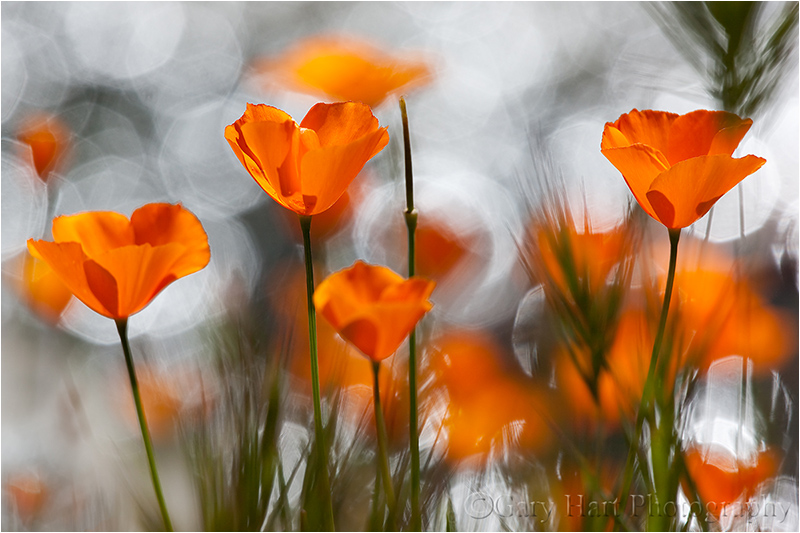
Sparkling Poppies, Merced River Canyon
The background jewels of light are sunlight reflecting on the rippling surface of a creek. I had a blast controlling their size by varying my f-stop.
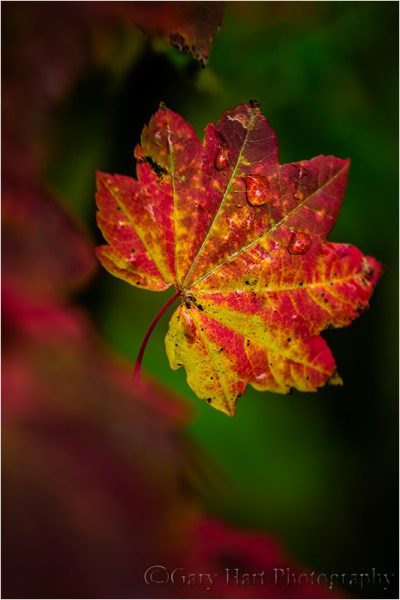
Hidden Leaf, Mt. Hood, Oregon
Here, rather than background bokeh, I framed this leaf with leaves in front of my focus point.

Dogwood, Merced River, Yosemite
Looking down from the Pohono Bridge, finding the composition was the simple part. But as soon as I started clicking I realized that the sparkling surface of the rapidly Merced River was completely different with each frame. So I just clicked and clicked and clicked until I had over 30 frames to choose between.
Bokeh Gallery
Click an image for a closer look and slide show. Refresh the window to reorder the display.


Expose yourself
Posted on March 10, 2019
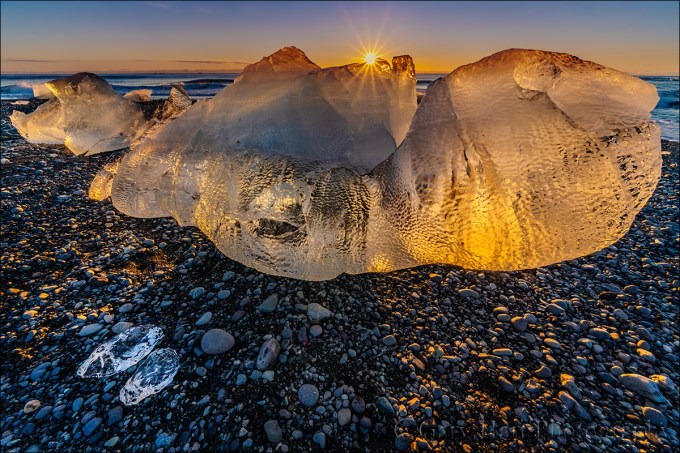
Glisten, Diamond Beach, Iceland
Sony a7R III
Sony 12-24 f/4 G
1/25 second
F/18
ISO 100
With advanced exposure and metering capabilities, cameras seem to be getting “smarter” every year. So smart, in fact, that for most scenes, getting the exposure right is a simple matter of pointing your camera and clicking the shutter button. That’s fine if all you care about is recording a memory, but not only is there more to your exposure decision than getting the amount of light in your picture, there are many reasons to over- or underexpose a pictures. For the creative control that elevates your images above the millions of clicks being cranked out every day, giving control of one of its most important responsibilities to your camera overlooks an undeniable truth…
Your camera is stupid
Sorry—so is mine. And while I can easily cite many examples, right now it’s just important that you understand that your camera thinks the entire world is a middle tone. Regardless of what its meter sees, without intervention your camera will do everything in its power to make your picture a middle tone. Sunlit snowman? Lump of coal at the bottom of your Christmas stocking? It doesn’t matter—if you let your camera decide the exposure, it will turn out gray.
Modern technology offers faux-intelligence to help overcome this limitation. Usually called something like “matrix” or “evaluative” metering, this solution compares a scene to a large but finite internal database of choices, returning a metering decision based on the closest match. It works pretty well for conventional, “tourist” snaps, but often struggles in the warm or dramatic light artistic photographers prefer, and knows nothing of creativity. If you want to capture more than documentary “I was here” pictures, you’re much better off taking full control of your camera’s metering and exposure. Fortunately, this isn’t nearly as difficult as most people fear.
Laying the foundation
The amount of light captured for any given scene varies with the camera’s shutter speed, f-stop, and ISO settings. Photographers measure captured light in “stops,” much as a a cook uses a cup (of sugar or flour or almonds or whatever) to measure ingredients in a recipe. Adding or subtracting “stops” of light by increasing or decreasing the shutter speed, f-stop, or ISO makes a scene brighter or darker.
The beauty of metering is that a stop of light is a stop of light is a stop of light, whether you control it with the:
- Aperture: The opening light passes through when the shutter opens, measured in f-stops
- Shutter speed: The time the shutter is open, allowing light to pass through the aperture to reach the sensor—slower shutter speeds mean more light; faster shutter speeds mean less light
- ISO: The sensitivity of the sensor (or film) to light
But while an aperture stop adds/subtracts the same amount of light as a shutter speed or ISO stop, the resulting picture can vary significantly based on which exposure variable combination you choose. Your shutter speed choice determines whether motion in the frame is blurred or frozen, while the aperture choice determines the picture’s depth of field. And while an ISO stop also adds/subtracts the same amount of light as shutter speed and aperture without affecting motion and depth, image quality decreases as the ISO increases. So getting the light right is only part of the exposure objective—you also need to consider how you want to handle any motion in the scene, and how much depth of field to capture.
For example, let’s say you’re photographing autumn leaves in a light breeze. You got the exposure right, but the leaves are blurred. To freeze that blur, you halve the time the shutter is open (faster shutter speed) to freeze the motion, but also reducing the light reaching the sensor by one stop. To replace that lost light, you could open your aperture by a stop (change the f-stop), double the ISO, or make a combination of fractional f-stop and ISO adjustments that total one stop. That’s a creative choice your camera isn’t capable of.
Metering modes
Today’s cameras have the ability to measure, or “meter” the light in a scene before the shutter clicks. In fact, most cameras have many different ways of evaluating a scene’s light. Your camera’s metering mode determines the amount of the frame the meter “sees.” The larger the area your meter measures, the greater the potential for a wide range of tones. Since most scenes have a range of tones from dark shadows to bright highlights, the meter will take an average of the tones it finds in its metering zone.
Metering mode options range from “spot” metering a very small part of the scene, to “matrix” (also know as “evaluative”), which looks at the entire scene and actually tries to guess at what it sees. Each camera manufacturer offers a variety of modes and there’s no consensus on name and function (different function for the same name, same function for different names) among manufacturers, so it’s best to read your camera’s manual to familiarize yourself with its metering modes.
Since I want as much control as possible, I prefer spot metering because it’s the most precise, covering the smallest area of the frame possible, an imaginary circle in the center three (or so) percent (depending on the camera) of what’s visible in the viewfinder. Spot metering, I can target the part of the frame I deem most important and base my exposure decision on the reading there.
Spot metering isn’t available in all cameras. In some cameras, the most precise (smallest metering area) metering mode available is “partial,” which covers a little more of the scene, somewhere around ten percent.
Exposure modes
Don’t confuse the metering mode with the exposure mode. While the metering mode determines what the meter sees, the exposure mode determines the way the camera handles that information. Most DSLR (digital single lens reflex) and mirrorless cameras offer manual, aperture priority, shutter priority, and a variety of program or automatic exposure modes. Serious landscape photographers usually forego the full automatic/program modes in favor of manual (my preference) or aperture/shutter priority modes that offer more control.
If you select aperture or shutter priority mode, you specify the aperture (f-stop) or shutter speed, and the camera sets the shutter speed or aperture that delivers a middle tone based on what the meter sees. But you’re not done. Unless you really do want the middle tone result the camera desires (possible but far from certain), you then need to adjust the exposure compensation (usually a button with a +/- symbol) to specify the amount you want your subject to be above or below a middle tone.
For example, if you point your spot meter at a bright, sunlit cloud, the camera will only give your picture enough light make the cloud a middle tone—but if you’ve only given your scene enough light to make a white cloud gray, it stands to reason that the rest of your picture will be too dark. To avoid this, you would adjust exposure compensation to instruct your camera to make the cloud brighter than a middle tone by adding two stops of light (or however much light you want to give the cloud to make it whatever tone you think it should be).
Rather than aperture priority, I prefer manual mode because I never want my camera making decisions for me. And once it’s mastered (a simple task), I think manual metering is easier. In manual mode, after setting my aperture (based on the depth of field I want), I point my spot-meter zone (the center 3% of the scene in my viewfinder) at the area I want to meter on and dial in whatever shutter speed gives me the amount of light I think will make that subject (where my meter points) the tone I want. That’s it. (In manual mode you can ignore the exposure compensation button.)
Trust your histogram
I see many people people base exposure decisions on the brightness of the image on the LCD. The typical approach is some variation of: 1) Guess at the exposure settings 2) Click 3) Look at the picture on the LCD 4) Adjust 5) Repeat. Not only is this approach lazy, it’s a waste of time and woefully inaccurate.
I call it lazy because these photographers (but of course I don’t mean you) don’t care enough about their craft to apply a skill that only takes minutes to learn (see above), a skill that will serve them best in the most difficult exposure situations. But that’s not the real problem—the real problem is the inaccuracy introduced by trusting the image on your LCD.
LCDs vary in brightness because viewing conditions change. With a brightness adjustment in every camera’s menu, many photographers simply turn their brightness to maximum because it’s easier to see, especially in sunlight, and a bright picture usually looks better. Other photographers use an auto-brightness setting that adjusts with ambient light—the more light it detects, the brighter the display.
Regardless of your LCD’s brightness setting, the variation in brightness of the screen and/or the ambient light make the image on the LCD a very unreliable exposure indicator. When people tell me their images are usually too dark on their computer or in prints, the first thing I do is check the brightness of their camera’s LCD—if it’s set to maximum, they’re likely fooled into thinking the exposure was brighter than it actually was.
How do you fix this? Simple: Learn to read a histogram, and never use your camera’s LCD for exposure decisions again. The histogram is as simple as it is useful.

Day’s End, Ke’e Beach, Hawaii

A histogram is a plot of the tones in an image. I’ll save a more complex explanation for another day, but all you really need to know is that the graph starts with black on the left and brightens to white on the right. Every pixel in the image is sampled for its brightness—the brighter it is, the farther to the right it falls on the histogram. Anything in the image that’s too dark to display detail (black) is “clipped” (cut off) on the left side; anything in the image that’s too bright too display detail is clipped on the right. Ideally, nothing will be clipped on either side. If your scene contains a greater range of light (dynamic range) than will fit in the histogram, one side or the other will clip and you have exposure decisions too make—HDR (blending multiple exposures), graduated neutral density filters, or deciding that it’s okay to lose one side or the other (shadows or highlights). For example, the Ke’e Beach image above is predominantly middle tones, with just a few extremely bright and extremely dark pixels.
One more time
So let’s review. Start by selecting your metering mode (the way your meters”sees” the scene: spot, partial, matrix, and so on), then take your camera out of auto exposure mode and put it in manual (my recommendation) or aperture priority (if you prefer) mode. (Remember, I’m a landscape photographer so I never use shutter priority; if you’re shooting action, to better control the motion in your frame, you probably want to consider shutter priority if you don’t like manual exposure.)
Before metering, set your camera to whatever aperture you decide your composition calls for. Then meter, remembering that your camera isn’t telling you what the exposure should be, it’s telling you the exposure that will make what it sees a middle tone. Finally, correct the meter’s middle-tone bias by dialing in the shutter speed (in manual mode) or exposure compensation (in aperture priority) that gives the correct exposure.
After you click, check your histogram to be sure you got the exposure right.
What’s the correct exposure? That’s a creative choice that’s entirely up to you—feel free to play until you’re comfortable with your results. And the more you do it, the easier it gets.
For example
Below are some sample images and the thought process I followed to get the exposure.

Winter Reflection, El Capitan, Yosemite After choosing the aperture that gave me the depth of field I wanted, I spot-metered on the sunlit portion of El Capitan’s reflect (because it was the brightest thing in my frame and dialed my shutter speed until the meter indicated +2. That setting gave me enough light to resolve details in the shadows, but not so much light that the El Capitan highlights were blown out. If I’d have followed my meter’s “suggestion” to make El Capitan’s highlights a middle tone, the entire scene would have been too dark.

Here’s one matrix/evaluative metering would have made a mess of. The dynamic range (range of light between the darkest shadows and brightest highlights) was off the charts. Rather than compromise, I exposed to hold the color in the sky and let the foreground go to silhouette. I metered on the brightest (goldish) part of the sky next to Half Dome and dialed my exposure to +.3 (1/3 stop above middle tone). The sky was brighter than what you see here, but underexposing like this allowed me to emphasize the sky’s rich blue and the very Yosemite outline of Half Dome and Sentinel Dome. The highlights in the thin lunar crescent were clipped, but I didn’t care about the moon’s detail, only it’s shape.

Who says you should never blow your highlights? Here I metered on the brightest part of the poppy (near the top), setting my exposure to .7 (2/3 stop above middle tone). Everything you see that’s white is blown blue sky (except the “star,” which is a sliver of the sun).
Now get to work
Don’t wait to apply all this for the first time until you really, really want the shot. Instead, find a time when the results don’t matter and play with your camera to find out how much control you have over exposure. In fact, you can do this right now in your backyard or even sitting right there in your recliner. Meter something nearby, set an exposure, and click. Look at the result, adjust the exposure, and click again. Watch your histogram, and watch how its shape shifts right as you increase the exposure, or left as you decrease it. Continue doing this until you’re confident in your ability to make a scene brighter or darker, and can consistently achieve the exposure you expect.
About this image

Glisten, Diamond Beach, Iceland
It not too difficult to figure out how Iceland’s Diamond Beach got its name. A black sand beach on Iceland’s south coast, just down stream from Glacier Lagoon, Diamond Beach is dotted with glistening blocks of ice ranging in size from a refrigerator ice cube, to an entire refrigerator.
As spectacular as Diamond Beach was on my first visit, it was also unlike anything I’d ever seen, so it took me a little while to figure out how I wanted to shoot it. I tried a few frames that used long shutter speeds to blur the motion of the waves around the ice, but when the sun appeared, I saw another opportunity.
With my Sony 12-24 G lens on my Sony a7RIII, I set up just a couple of feet from one of the larger icebergs, went all the way out to 12mm, and waited for the sun to peek above the ice, hoping to capture a sunstar. As I waited, I tweaked my exposure settings, dialing my aperture to f/18 to maximize my depth of field and to enhance the sunstar effect. When the sun appeared I was in business; as it rose, I dropped my camera lower to keep just a small sliver of sun visible above the ice.
Any frame that includes the sun is frame with lots of dynamic range. To get my exposure right for this image, I relied entirely on the histogram and ignored the image on the LCD, with its nearly black shadows and white sky. Despite the way histogram told me I’d captured all the tones, and I confirmed that as soon as I started processing in Lightroom.
Workshop Schedule || Purchase Prints
Taking Control in Difficult Light
Click an image for a closer look, and a slide show.


Get Out of the Way
Posted on March 3, 2019
(And Let the Scene Speak for Itself)
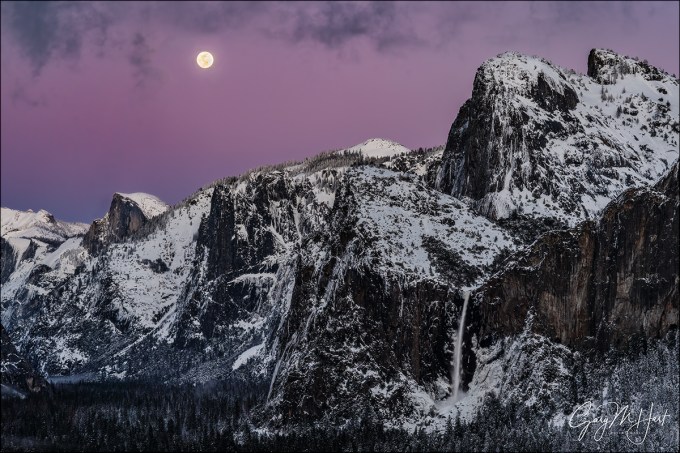
Nightfall, Full Moon and Yosemite Valley, Yosemite
Sony a7R III
Sony 24-105 f/4 G
1/6 second
F/10
ISO 100
As aggressively as I seek creative ways to express nature with my camera, and as important as I think that is, sometimes a scene is so beautiful that it’s best to just get out of the way and let the scene speak for itself. I had one of those experiences last month at Tunnel View in Yosemite.
There’s a reason Tunnel View is one of the most photographed vistas in the world: El Capitan, Half Dome, Cathedral Rocks, Bridalveil Fall—each would be a landscape icon by itself; put them all together in one view and, well…. But the view this evening was truly transcendent, even by Yosemite standards. In Yosemite Valley below, trees and granite still glazed with the snowy vestiges of a departing storm seemed to throb with their own luminance. And above Half Dome a full moon rose through a sky that had been cleansed of all impurities by the departing storm, an otherworldly canvas of indigo, violet, and magenta.
On these crystal-clear, winter-twilight moonrises, the beauty rises with the moon, reaching a crescendo about 20 minutes after sunset, after which the color quickly fades and the landscape darkens. Unfortunately, a some point before the crescendo, the dynamic range becomes so extreme that no camera (not even the dynamic range monster Sony a7RIII) can simultaneously extract usable detail from a daylight-bright moon and dark landscape.
I’d driven to Yosemite solely to photograph this moonrise, an eight hour roundtrip for 40-minutes of photography. Starting with the moon’s arrival about 20 minutes before sunset, I’d juggled three camera bodies and two tripods, first shooting ultra long, then gradually widening to include more of the snowy landscape. Already my captures had more than justified the time and miles the trip would cost me, but watching the moon traverse the deepening hues of Earth’s shadow, I wasn’t ready to stop.
I’ve learned that with a scene this spectacular, conveying the majesty doesn’t require me to pursue the ideal foreground, or do creative things with motion, light, or depth of field. In fact, I’ve come to realize that sometimes a scene can be so beautiful that creative interpretations can dilute or distract from the very beauty that moves me. On this evening in particular, I didn’t want to inject myself into that breathtaking moment, I just wanted to share it.
To simply my images, I opted for a series of frames that used tried-and-true compositions that I’d accumulated after years (decades) of photographing here, the compositions I suggest as “starters” for people who are new to Yosemite, or use myself to jump-start my inspiration: relatively tight horizontal and vertical frames of El Capitan, Half Dome, Bridalveil Fall; El Capitan and Half Dome; or Half Dome and Bridalveil Fall. In the image I share above I concentrated on Half Dome and Bridalveil Fall, capping my frame with the wispy fringes of a large cloud that hovered above Yosemite Valley.
Simplifying my compositions had the added benefit of freeing all of my (limited) brain cells to concentrate on the very difficult exposure. The margin for error when photographing a moon this far after sunset is minuscule—if you don’t get the exposure just right, there’s no fixing it in Photoshop later: too dark and there’s too much noise in the shadows; too bright and lunar detail is permanently erased. The problem starts with the understandable inclination to expose the scene to make the landscape look good on the LCD, pretty much guaranteeing that the moon will be toast. Compounding this problem is the histogram, which most of us have justifiably come to trust as the final arbiter for all exposures. But when a twilight moon (bright moon, dark sky) is involved, even the histogram will fail you because the moon is such a small part of the scene, it barely (if at all) registers on the histogram.
Rather than the histogram, for these dark sky moon images I monitor my LCD’s highlight alert (“blinking highlights”), which is usually the only way to to tell that the moon has been overexposed. If the moon is flashing, I know I’ve given the scene too much light and need to back off until the flashing stops—no matter how dark the foreground looks. This is where it’s essential to know your camera, and how far you can push its exposure beyond where the histogram and highlight alert warn you that you’ve gone too far.
When I’m photographing a full moon rising into a darkening sky, I push the exposure to the point where my highlight alert just starts blinking (only the brightest parts of the moon, not the entire disk, are flashing), then I give it just a little more exposure. I know my Sony a7RIII well enough to know that I can still give it a full stop of light beyond this initial flash point and still recover the highlights later. The shadows? In a scene like this they’ll look nearly black, a reality my histogram will confirm, but I never cease to be amazed by how much detail I can pull out of my a7RIII’s shadows in Lightroom and Photoshop.
I continued shooting for several minutes after this frame, and discovered later that even my final capture contained usable highlights and shadows. I chose this image, captured nearly five minutes before I quit, because it contained the best combination of color, lunar detail, and clean (relatively noise-free) Yosemite Valley.
Photograph the full moon above Half Dome with me this December
Workshop Schedule || Purchase Prints
Letting Nature Speak for Itself
Click an image for a closer look, and a slide show


Thinking Inside the Box
Posted on February 24, 2019

Winter Moonrise, Full Moon and Half Dome, Yosemite
Sony a6300
Sony 100-400 GM
Sony 2x teleconverter
ISO 200
f/11
1/400 second
Roll over, Ansel
Several years ago, while thumbing through an old issue of “Outdoor Photographer” magazine, I came across an article on Lightroom processing. It started with the words:
“Being able to affect one part of the image compared to another, such as balancing the brightness of a photograph so the scene looks more like the way we saw it rather than being restricted by the artificial limitations of the camera and film is the major reason why photographers like Ansel Adams and LIFE photographer W. Eugene Smith spent so much time in the darkroom.”
While it’s true that Ansel Adams and W. Eugene Smith were indeed darkroom masters, statements like this only perpetuate the myth that the photographer’s job is to reproduce the scene “the way we saw it.” And because I imagine that using Ansel Adams himself to peddle this notion must send Ansel rolling in his grave, I’ll start by quoting the Master himself:
- “When I’m ready to make a photograph, I think I quite obviously see in my mind’s eye something that is not literally there in the true meaning of the word.”
- “Photography is more than a medium for factual communication of ideas. It is a creative art.”
- “Dodging and burning are steps to take care of mistakes God made in establishing tonal relationships!”
Do these sound like the thoughts of someone lamenting the camera’s “artificial limitations” and photography’s inability to duplicate the world the “way we saw it”? Take a look at just a few of Ansel Adams’ images and ask yourself how many duplicate the world as we see it: nearly black skies, exaggerated shadows and/or highlights, and skewed perspectives that intentionally emphasize one subject over another, and on and on. And no color! (Not to mention the fact that every image is a two-dimensional rendering of a three-dimensional world.) Ansel Adams wasn’t trying to replicate scenes more like he saw them, he was trying to use his camera’s unique (not “artificial”) vision to show us aspects of the world he wanted us to see, qualities we might otherwise miss or fail to appreciate.
The rest of the OP article contained solid, practical information for anyone wanting to come closer to replicating Ansel Adams’ traditional darkroom techniques in the contemporary digital darkroom. But the assertion that photographers are obligated to photograph the world as they saw it baffles me.
You’ve heard me say this before
The camera’s vision isn’t artificial, it’s different. Dynamic range, focus, motion, and depth are all rendered differently in a camera than they are to the human eye. And while the human experience of any scene is 360 degrees, a still images is constrained by a rectangular box. Forcing images to be more human-like doesn’t just deny the camera’s unique ability to expand viewers’ perception of the world, it’s literally impossible. Which is why I’ve always felt that the best photographers are the ones who embrace their camera’s vision rather than trying to “fix” it.
For example, limiting dynamic range allows us to emphasize color and shapes that get lost in the clutter of human vision; a narrow range of focus can guide the eye and draw attention to particular elements of interest and away from distractions; and the ability to accumulate light over a photographer-controlled interval exposes color and detail hidden by darkness, and conveys motion in an otherwise static medium.
The box
But what about that rectangular box that constrains the world of a still image? I can think of no better way to excise distractions and laser-focus viewers’ attention on the target subject than taking advantage of the camera’s finite world. While many nature photographers default to their wide angle lenses to expand the visual box surrounding their landscape images and save their long lenses for wildlife, a telephoto lens is an essential landscape tool. The world can be a busy place—in even the most spectacular of vistas, so much is happening visually that going wide in a still photo to include as much beauty as possible introduces many extraneous features, and risks shrinking the scene’s most compelling elements to virtual insignificance.
The best way to overcome wide angle scene dilution is to forego the conventional view (the first thing everyone sees), identify the aspects of the scene that make it special, and isolate them with a telephoto lens. Whether it’s a striking mountain or tree, backlit poppy, or rising moon, isolation enlarges the target subject and removes any ambiguity about what the image is about. And an intimate, up-close perspective of a subject more commonly seen from a distance can be truly mesmerizing.
About this image

Winter Moonrise, Half Dome, Yosemite
I stood atop two feet of packed snow at Tunnel View, more than eight miles from Half Dome, and ten miles from the ridge that would be ground zero for the moonrise that had drawn me in the first place. Along with two other photographers who also seemed aware of the moon’s plans, I had the best (least obstructed) Tunnel View vantage point to myself. Rising full moon or not, before me the table was set for a spectacular Yosemite feast: Brand new snow glazed every exposed surface, and in the pristine winter air, Tunnel View’s veritable who’s who of Yosemite landmarks—El Capitan, Cloud’s Rest, Half Dome, Sentinel Rock, Sentinel Dome, Cathedral Rocks, and Bridalveil Fall—seemed etched into the scene. Above, dark clouds boiled atop El Capitan, while wispy fog radiated from the valley floor.
Occasionally a tourist would wander up and request help identifying Horsetail’s microscopic filament on El Capitan’s vast granite; one or two even pointed at Bridalveil Fall and asked if that was Horsetail Fall. A couple of people, blissfully oblivious to the Horsetail Fall phenomenon, simply wanted their picture taken with this iconic Yosemite backdrop.
About 150 feet down the wall to my right, at least two-dozen photographers on tripods were inexplicably crammed into a significantly less desirable view. While that vantage point gave them an acceptable sightline to Horsetail Fall (as did my own), the rest of the magnificent Tunnel View vista was partially obscured by trees. The only explanation I could muster for their odd choice was that the first to arrive for some reason set up there, and each subsequent photographer assumed that since others have set up here, this must be the spot.
While Horsetail Fall was irrelevant to my objective this evening, the overnight snow still clinging to the trees was undeniable bonus. Getting to Tunnel View had been an adventure, worse even than I’d expected, and I was glad that I’d allowed ample time. The difficulty started with a 30-minute (Horsetail Fall gawker infused) queue at the Arch Rock entrance station. My suspicion that these were mostly inexperienced photographers and tourists (who’d just read an article or seen a news segment and decided to check it out) was confirmed when I was forced to navigate a slalom course of slipping, sliding, spinning cars that had ignored the very clearly communicated chain controls. The serious photographers, those who had photographed Horsetail Fall before, or who had the sense to research the phenomenon well in advance, had been in position for the five-minute show for hours.
With the moon’s imminent arrival upon a scene that already bordered on visual overload, my plan to ensure that the main purpose of my visit didn’t get swallowed by Tunnel View’s conventional post-storm majesty was to start, while the moon was still right on the horizon, with extremely tight compositions. As the moon rose, I planned to widen my focal length, gradually including more scene and turning the moon into more of an accent.
To achieve this, I was flanked by two tripods, and had three camera bodies fired up and ready for action: my Sony a7RIII, a7RII, and a6300. Atop my Really Right Stuff TVC-24L tripod was my a6300 loaded with my Sony 100-400 GM and Sony 2X teleconverter. This combination gave me a 600-1200mm full-frame equivalent focal range (because the a6300 is a 1.5-crop APS-C sensor). When including the rising moon required reducing my focal length below 800mm, I’d switch to my higher resolution, full frame Sony a7RII. And because the moon would rise just about 20 minutes before sunset, I also had to be aware of the possibility that Horsetail Fall would fire up. To handle that possibility, and to cover all my general wide composition needs, mounted on my RRS TQC-14 tripod was my Sony a7RIII and Sony 24-105 f/4 lens.
I pointed my a6300/100-400 at the point where I expected the moon to appear about 20 minutes before sunset, zoomed all the way out to 800mm (1200mm full-frame equivalent), metered, focused, and waited. I started clicking almost immediately after seeing the moon’s leading edge nudge through the trees, refining my composition slightly after each click until I had the right balance of moon and Half Dome. It always surprises me how quickly the moon moves, speed that’s magnified tremendously at such an extreme focal length. Spending the next 40 minutes frantically changing focal lengths, switching lenses and camera bodies, re-metering and re-focusing, and bouncing between tripods, I felt like the percussionist in a jazz band.
When the moon climbed far above Yosemite Valley and the dynamic range between the daylight-bright moon and nighttime landscape made photography impossible, I paused before packing up my gear and just marveled at the beauty. Horsetail Fall had caught a few late rays of sunlight but never did completely light up. I thought about the disappointment of frigid photographers who had waited patiently in the valley below for a show that didn’t happen, and counted my blessings.
Photograph next year’s February full moon in my Yosemite Winter Moon photo workshop
Isolation Sensation
Click an image for a closer look and slide show. Refresh the window to reorder the display.


 Eloquent Images by Gary Hart